How-to
How to make a personalized e-card with your photos (free)
Five steps from blank page to a card they'll want to keep, with photo and wording tips, and when an interactive gift is the better choice.
A cura del team di Cherrywish3 min di lettura
Per ora i nostri articoli sono scritti in inglese.
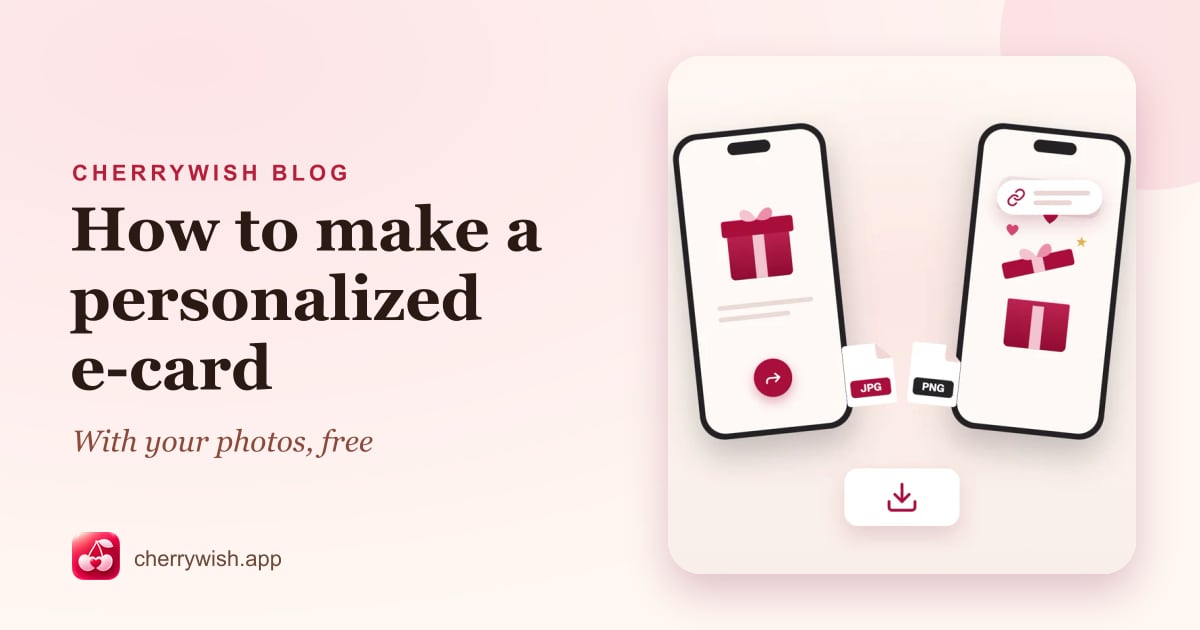
E-cards have come a long way from the dancing cartoons of the early internet. Today, a good e-card looks like premium stationery, holds your own photos and words, and can be saved, printed or shared in seconds. Best of all, a personalized e-card can be made in about five minutes, and on Cherrywish it's free.
How to make a personalized e-card in 5 steps
1. Pick a design for the occasion
Start with the moment you're celebrating. Browse birthday, anniversary, wedding, new baby, graduation or Christmas designs, or see every template at once. Preview any card before you choose it.
2. Add your photos
Each design shows how many photos it holds, from one portrait to a little gallery of four. Upload them from your phone or computer and adjust the crop while you watch the live preview.
3. Write your message
This is what turns a pretty card into a meaningful one. Use their name, mention something specific, and end with a wish. Need inspiration? Try our guides to birthday card messages, wedding wishes and Christmas card messages.
4. Choose your colors
Many designs let you pick a color theme, so the card can match their favorite color or the feel of the occasion.
5. Send or download it
You can design a card before creating an account; a free account is needed to share it. Then choose how it arrives:
- Email it to them, locked with a date or secret words only they would know.
- Get a shareable link or QR code to send by text, chat or social media.
- Download it as a JPG or PNG to print, post or keep.
Tips for choosing photos
- Pick photos with feeling, not perfection. A blurry photo of a huge laugh beats a stiff posed portrait.
- Use your best-resolution version. Originals from your camera roll look sharper than screenshots or images saved from chats.
- Mix close-ups and moments. One clear face, then a few photos that tell a story.
- Think about the crop. Faces near the middle of the frame are easiest to fit into any layout.
- Include yourself. For a partner or a close friend, a photo of the two of you says “us.”
Tips for the message
- Keep it short on the card itself. Two to four sentences read best on a phone screen.
- Write like you speak. If you wouldn't say it out loud, rewrite it.
- One specific memory is worth ten adjectives. “Remember the Paris rain?” beats “You're so amazing and special.”
- Proofread their name. It sounds obvious. It's also the most common mistake.
E-cards vs paper cards
| Personalized e-card | Paper card | |
|---|---|---|
| Delivery | Instant, anywhere in the world | Days or weeks by post |
| Your photos | Built in | Only with a custom print service |
| Cost | Free on Cherrywish | Card, stamp and often envelope |
| Last-minute friendly | Yes, even on the day | Only if you see them in person |
| Keepsake | Saved, reopened and downloadable | Physical, can be displayed |
| Environment | No paper or shipping | Paper, ink and transport |
Both have their place. A paper card on the mantelpiece is lovely; an e-card wins when you're far away, short on time, or want your photos front and center. And you can always do both: download your e-card and print it at home.
When to choose an interactive gift instead
For a really big moment, like a milestone birthday, an anniversary or Valentine's Day, consider going beyond a card. Interactive gifts are little experiences they open and explore: a Birthday Box with surprises inside, a Love Letter Vault unlocked with a secret, or a Storybook of your relationship. They take a little longer to make, and they tend to be the gift people talk about.
Domande frequenti
- How do I make an e-card with my own photos?
- Pick a design, upload your photos, adjust the crop, write your message and choose a color theme. Then share it by link, QR code or email, or download it as an image.
- Are Cherrywish e-cards free?
- Yes. All e-cards are free to personalize, send and download. Some interactive gifts are premium templates with a one-time price, and there are no subscriptions.
- Does the recipient need an app or account?
- No. They open the card from a link in any web browser, on any phone or computer.
- Can I print my e-card?
- Yes. Download it as a JPG or PNG and print it at home or at a print shop.